How to Block Gambling Sites on iPhone?
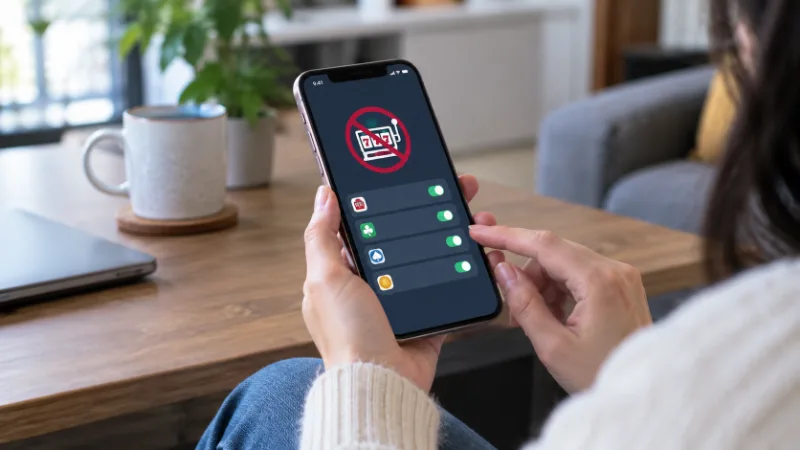
You can block gambling sites on an iPhone using Apple’s built-in Screen Time controls.
The strongest setup is to block individual gambling websites, remove gambling apps, prevent new apps from being installed and protect the restrictions with a Screen Time passcode.
For someone trying to stop gambling completely, relying on a single restriction may not be enough.
Combining iPhone restrictions with gambling self-exclusion and financial controls can create several barriers between an urge to gamble and actually placing a bet.
What Is the Best Way to Block Gambling Sites on an iPhone?
There are several levels of protection available.
| Method | What It Blocks | Strength |
| Screen Time website blocking | Specific gambling websites | Good |
| Removing gambling apps | Installed casino and betting apps | Good |
| Blocking new app installations | Reinstalling gambling apps | Strong |
| Screen Time passcode | Changing restrictions | Strong |
| Self-exclusion | Accounts with participating operators | Very strong |
| Bank gambling block | Gambling-related card payments | Strong |
| Combination of several controls | Sites, apps, accounts and payments | Strongest |
Someone who simply wants fewer distractions may only need Screen Time.
Someone actively trying to stop gambling should consider several barriers rather than depending on one setting.
How to Block Individual Gambling Websites on iPhone?
Apple’s Screen Time controls allow specific website addresses to be placed on a blocked list.
Go to:
Settings → Screen Time → Content & Privacy Restrictions → App Store, Media, Web & Games → Web Content
Select:
Limit Adult Websites
Then scroll to Never Allow and choose Add Website.
Enter the full address of the gambling website.
For example, if several bookmakers, casinos or lottery-style sites are causing a problem, add each domain separately.
It can also be useful to block different versions of the same domain where necessary.
This method is particularly useful when there are only a handful of websites that need to be restricted.
Can You Block All Gambling Sites at Once on an iPhone?
Apple does not provide a simple built-in switch labelled Block All Gambling Websites.
Screen Time instead provides broader web-content filtering combined with the ability to add individual domains to the Never Allow list.
Because thousands of gambling-related websites exist, manually adding every site is unrealistic.
This is why people seeking a more comprehensive restriction should combine Screen Time with additional controls such as:
- Gambling self-exclusion
- Dedicated gambling-blocking software
- App installation restrictions
- Bank gambling transaction blocks
- Account closures
- A Screen Time passcode controlled by a trusted person
Layering these controls makes it much harder to simply switch websites when one is blocked.
How to Delete Gambling Apps From an iPhone?
Blocking websites will not necessarily solve the problem if betting or casino apps remain installed.
To remove a gambling app:
- Find the app on the Home Screen or App Library.
- Press and hold its icon.
- Select Remove App.
- Select Delete App.
- Confirm the deletion.
Remove all betting, casino, bingo, poker and similar gambling apps that you no longer want to access.
Deleting an app alone is relatively easy to reverse, however. The person can simply download it again.
For that reason, the next step can be more important.
How to Stop Gambling Apps Being Reinstalled?
Screen Time can restrict app installations.
Open:
Settings → Screen Time → Content & Privacy Restrictions
From the App Store purchase and installation controls, restrict the ability to install new apps.
Depending on the iOS version and region, the wording of the menu can differ slightly, but Screen Time contains controls covering app installations and purchases.
Turning off app installations creates another barrier after gambling apps have been deleted.
It can be especially effective when another person controls the Screen Time passcode.
Why Should Someone Else Set the Screen Time Passcode?
A restriction that takes five seconds to disable may offer little protection during a strong urge to gamble.
One solution is to ask a trusted partner, relative or friend to create the Screen Time passcode without telling you what it is.
The passcode should be different from:
- Your iPhone unlock PIN
- Banking PINs
- Common passwords
- Previous Screen Time codes
This means accessing a blocked gambling website requires involving another person rather than simply changing the settings yourself.
That extra friction can make a significant difference.
If gambling is beginning to affect money, relationships or everyday responsibilities, understanding the signs of a gambling problem can also help identify whether stronger restrictions are appropriate.
Can You Use Screen Time to Limit Safari Completely?
Yes. Someone looking for particularly strict restrictions can go further than blocking individual websites.
Apple’s Screen Time controls can restrict certain apps and features. However, completely disabling Safari may not prevent gambling access through every possible third-party browser or gambling app.
For that reason, simply hiding Safari should not be treated as a complete gambling block.
Blocking websites, deleting gambling apps and restricting future installations provides a more comprehensive setup.
Does Private Browsing Bypass Screen Time Gambling Blocks?
Using Private Browsing does not automatically make a website exempt from Apple’s Screen Time web-content restrictions.
Screen Time restrictions operate at the device’s content-control level rather than simply relying on Safari’s browsing history.
This makes Screen Time substantially more useful than attempting to control gambling by deleting browser history or bookmarks.
However, no device-level restriction should be considered completely impossible to circumvent, particularly if the person using the phone also knows all passwords and can change its settings.
Should You Remove Gambling Bookmarks and Saved Passwords?
Yes.
Small changes can reduce the number of triggers and shortcuts leading back to gambling.
Consider removing:
- Gambling bookmarks
- Favourite betting sites
- Saved gambling passwords
- Gambling apps
- Gambling-related browser tabs
- Promotional emails
- Betting notifications
- Casino push notifications
- Gambling-related calendar reminders
Also unsubscribe from gambling marketing where possible.
The objective is not simply to make gambling websites inaccessible. It is also to reduce reminders that encourage someone to return.
Should You Block Gambling Payments as Well?
For someone trying to stop gambling, restricting access to money can provide another important barrier.
Many UK banking providers offer controls that can prevent card payments identified as gambling transactions.
A gambling transaction block can complement an iPhone website block because even if someone finds another gambling platform, completing a deposit may become more difficult.
It is worth remembering that payment restrictions and website restrictions solve different problems.
Website blocking prevents access.
Payment blocking restricts spending.
Using both is considerably stronger than relying on either measure by itself.
Can Self-Exclusion Help Block Gambling?
Yes.
Self-exclusion is particularly important for people who have decided they need a genuine break from gambling rather than simply fewer distractions.
Self-exclusion can prevent access to participating gambling accounts for a specified period.
Device blocking and self-exclusion work well together because they operate differently:
| Protection | Main Purpose |
| iPhone website block | Stops access to selected domains |
| App restriction | Makes gambling apps harder to use |
| Self-exclusion | Restricts gambling accounts |
| Bank gambling block | Restricts gambling transactions |
| Trusted Screen Time passcode | Makes restrictions harder to reverse |
The goal is to create multiple points at which an impulsive gambling decision can be interrupted.
What If Someone Keeps Finding Ways Around the Blocks?
Repeatedly disabling restrictions, opening new accounts or searching for alternative gambling websites can indicate that the problem is no longer simply about phone settings.
For example, warning signs can include:
- Constantly looking for ways around gambling blocks
- Creating new betting accounts
- Chasing previous losses
- Borrowing money to gamble
- Gambling with money needed for bills
- Hiding gambling from family members
- Becoming anxious or irritated when unable to gamble
- Repeatedly deleting and reinstalling gambling apps
In this situation, technical restrictions should be treated as one part of a wider response.
Family members may also need to understand how to help someone with a gambling addiction without unintentionally making it easier for gambling behaviour to continue.
What Is the Strongest iPhone Gambling-Blocking Setup?

For somebody who wants gambling access to be genuinely difficult, a stronger setup would look like this:
1. Delete every gambling app
Remove casino, sportsbook, bingo, poker and lottery-style gambling applications.
2. Block known gambling websites
Use Screen Time’s Never Allow list.
3. Restrict app installations
Prevent gambling apps from simply being downloaded again.
4. Use a separate Screen Time passcode
Ideally, allow a trusted person to control it.
5. Remove saved gambling passwords
This reduces quick access to existing accounts.
6. Turn off gambling notifications and marketing
Remove prompts that could trigger an urge to gamble.
7. Use self-exclusion
Restrict access to gambling accounts where appropriate.
8. Activate banking restrictions
Consider blocking gambling-related card transactions.
The purpose of this approach is friction. One control might be bypassed, but overcoming several independent barriers takes more effort and gives the person more time to reconsider the decision.
How to Block Gambling Sites on a Child’s iPhone?
Parents or guardians can also manage Screen Time restrictions for children through Apple’s family controls.
Web-content restrictions can be applied so the child cannot freely change them.
Parents should consider:
- Enabling Content & Privacy Restrictions
- Restricting inappropriate websites
- Blocking known gambling domains
- Restricting app installations
- Applying appropriate app age ratings
- Preventing unauthorised purchases
- Keeping the Screen Time passcode private
Children should not know the parental Screen Time passcode, otherwise restrictions can be easily changed.
Can an iPhone Permanently Block Gambling?
No ordinary iPhone setting should be viewed as an irreversible permanent block.
If the device owner has complete control of the phone, Apple account, passwords and security settings, many restrictions can eventually be changed.
The objective should therefore be to make gambling difficult rather than assuming one technical setting makes it impossible.
Combining device restrictions with account self-exclusion, payment blocks and support from someone trusted creates a much stronger barrier.
FAQs About Blocking Gambling Sites on iPhone
Can I block a gambling website on Safari?
Yes. Screen Time allows individual websites to be added to the Never Allow list under Web Content restrictions.
Can I block betting apps on an iPhone?
You can delete betting apps and use Screen Time restrictions to make installing new apps more difficult.
Can I password-protect gambling restrictions?
Yes. Screen Time can be protected with its own passcode. For stronger protection, consider allowing a trusted person to control that code.
Does deleting a gambling app stop me using the website?
No. Deleting an app does not automatically block the operator’s website. Website restrictions should be configured separately.
Can Screen Time block every gambling website?
Screen Time can block individual domains and restrict categories of web content, but there is no simple Apple switch that guarantees every gambling website worldwide will be blocked.
Will Private Browsing bypass a gambling website block?
Private Browsing does not automatically override Screen Time web-content restrictions.
Should I use a bank gambling block as well?
For someone trying to stop gambling completely, combining website blocking with payment controls can provide a stronger barrier.
What if I keep removing the restrictions?
If someone repeatedly disables blocks so they can gamble again, additional measures such as a trusted passcode holder, self-exclusion, financial controls and professional support may be more appropriate.